
If you enter the same information regularly when creating S&S Declarations, the Duplicate function can help you save time and improve efficiency.
Firstly, create a shipment using the details you frequently reuse. This may include information such as:
- Transport method
- Port of departure
- Port of entry
- Common route details
Make sure to save the reference as something that you will remember, for example: 'TEMPLATE EU-GB'
You can also add common Consignment or Additional details to the template. When you click 'Next: Consignments', a message reading 'Errors detected with the data' will appear; simply click 'Save and continue' to bypass this.
Once you have finished adding your common data, you can return to the dashboard using the button at the top of the page, and your template will be saved and ready to use.
Using your template:
When creating a new shipment, simply find your template shipment, either using the search filters or the dashboard.
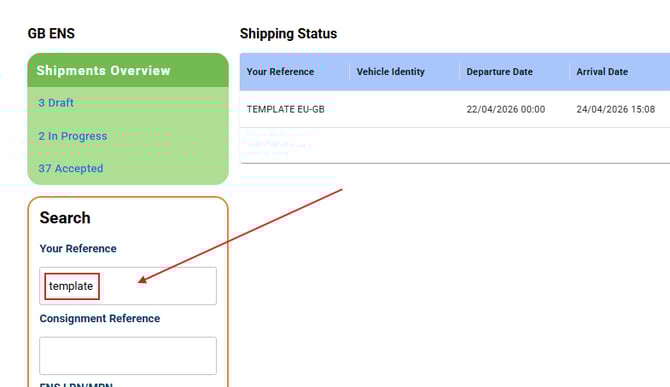
Open your template, and use the Shipment Action: 'Duplicate this Shipment' to copy your template.
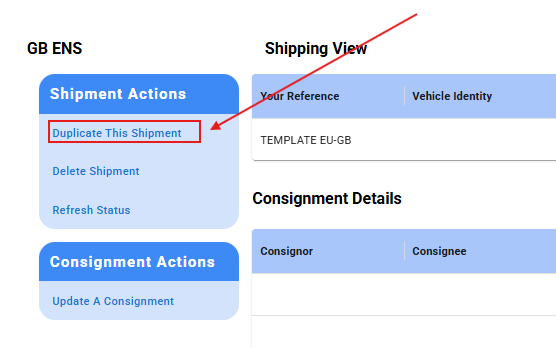
A new declaration will be created containing all the saved template information, allowing you to update the shipment reference and other details if required.
This reduces repetitive data entry and makes creating future declarations faster and easier.
If you still need help utilising this feature, please contact our customer services team, who will be happy to assist you further.